

Custom USB4 Cable Options for High-Speed Data and Video
2026-10-18
When you need a cable that can handle high-speed data transfer and 8K video without compromise, off-the-shelf options often fall short. At EBCYX, we believe connectivity should fit your exact workflow—not the other way around. In this post, we explore custom USB4 cable options that combine blazing-fast throughput, reliable power delivery, and tailored lengths and connectors for professional AV, creative, and industrial setups.
Why Your USB4 Setup Might Be Leaving 40Gbps on the Table
Plenty of folks assume that plugging a USB4 cable into a USB4 port automatically unlocks the full 40Gbps bandwidth, but the reality is far messier. The spec itself allows for multiple speed tiers, including 20Gbps and even 10Gbps fallback, depending on the cable, the port controller, and how the system negotiates the link. If your dock or device only supports USB4 Gen 2x2 or drops to USB 3.2 when a display is connected, you're not seeing anything close to that headline number.
Another hidden bottleneck sits in the way PCIe tunneling is handled. Many laptops reserve a chunk of USB4 bandwidth for video output, leaving less room for data transfers. A single 4K display at 60Hz can eat up 10-15Gbps before your external SSD even gets a chance to negotiate. On top of that, some implementations cap the PCIe tunnel at Gen 3 x2 rather than x4, which chops your effective throughput down to around 16Gbps instead of the theoretical 32Gbps available for data.
Then there's the cable itself. Passive USB4 cables over 0.8 meters often limit you to 20Gbps, and even active cables can silently downgrade the link if they don't match the exact USB4 version your host expects. Cheap docks with poorly implemented retimers or missing DisplayPort alt mode handshakes will also force the entire connection to a lower tier. If you want to see those 40Gbps in practice, you need a certified USB4 40Gbps cable under a meter, a host that supports full PCIe Gen 3 x4 tunneling, and a peripheral that doesn't grab all the bandwidth for video.
Cable Geometry and Shielding That Actually Hold Up in the Field
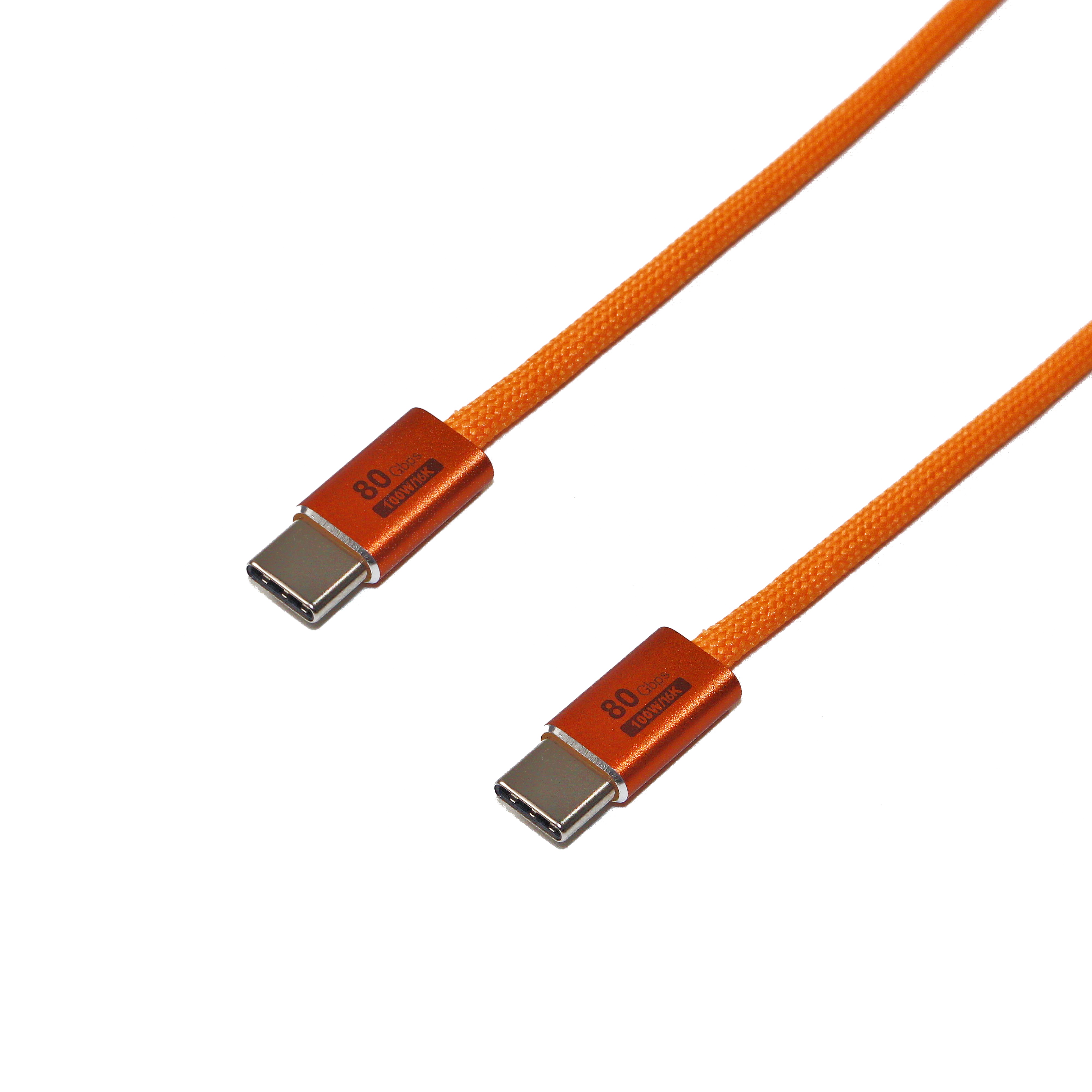
Field failures rarely trace back to a single dramatic flaw. More often, it’s the slow creep of geometry shift—conductors migrating inside the jacket after thousands of flex cycles, a braid that loosens just enough to let interference leak through at a connector. The cables that survive tend to have a stubborn internal structure: shorter lay lengths on twisted pairs, filler rods that keep roundness intact under repeated bending, and shield layers that stay coupled to the drain wire even when the outer jacket takes a beating.
Shielding only matters if it remains continuous from end to end. A foil wrap that looks perfect on a cut sheet can tear along the seam after a few dozen rough pulls through conduit. Braided shields handle that abuse better, but they demand a tight weave and solid termination—otherwise you get gaps at the connector that turn shielding into an antenna. Some designs add a second layer, foil under braid, not for marketing but because each layer handles a different failure mode: foil blocks high-frequency noise across flat surfaces, while braid survives mechanical stress and provides a low-impedance path to ground.
In the field, the real test is what happens after someone yanks the cable sideways, steps on it, or routes it next to a VFD line for a year. Geometry that holds up means pairs stay evenly spaced and the shield doesn’t collapse into the conductors. Shielding that holds up means the cable still reads clean on a megger and quiet on an oscilloscope long after the install crew has gone home.
Custom Lengths for Desk, Rack, and Camera Rig Without the Clutter
Finding the right cable length used to mean wrestling with a tangle of excess wire or settling for a generic size that never quite fit your setup. With custom-cut options, you can spec out exact runs for a clean desk, a tidy server rack, or a compact camera rig without any coil of slack gathering dust.
Think about how much easier it is to keep a workstation neat when the power and data cables drop straight down from the monitor instead of looping behind the stand. Same goes for a rack where every patch cable is the exact distance between two ports, leaving the front and back completely open for airflow and quick swaps. Camera operators benefit too, since a short, precise cable between a monitor and a battery plate saves weight and removes a snag point on a gimbal.
The best part is that custom lengths don't have to mean custom prices or long wait times. A good supplier will cut to your measurements on standard cable stock, so you get the same reliability and shielding but with zero leftover bulk. That means fewer zip ties, less dust collection, and a setup that finally looks as intentional as it works.
Connector Choices That Survive Constant Plugging and Unplugging
Frequent plugging and unplugging can quickly wear down even a well-made connector, so the first thing to look for is contact plating that doesn’t flake or thin out after a few hundred cycles. Gold over nickel with a thickness of at least 30 microinches tends to hold up far better than flash gold or bare copper, especially in environments where the connector sees daily handling.
Beyond the plating, the physical shape of the contacts matters just as much. Stamped leaf-style contacts may save space, but machined or bifurcated contacts offer a more consistent mating force and resist deformation when cables get tugged at odd angles. A connector with a positive latching mechanism—whether it’s a screw lock, bayonet, or push-pull collar—also takes strain off the contacts themselves, so the wear is absorbed by the housing instead of the pins.
Finally, check the manufacturer’s rated mating cycle count and derate it by about half if the connector will be plugged and unplugged multiple times a day. Materials like PBT or LCP in the insulator body resist cracking, and a stainless steel shell can prevent the mounting flange from loosening over time. Choosing a connector with field-replaceable contacts can also extend the usable life, since a single bent pin won’t force you to replace the whole assembly.
The Overlooked Role of Jacket Materials in High-Speed Runs
Most runners will spend weeks debating shoe foam densities and sock heights, yet barely glance at the shell they pull on for a hard effort. That changes the moment the pace climbs. At high speed, a jacket stops being just a layer and becomes an active interface with the wind. Fabrics that felt soft in the store can snap and flutter, cheap zippers dig into the chin with every stride, and sleeves that fit fine while standing suddenly bind across the shoulders. What works for an easy jog can turn into a noisy, dragging problem when you are trying to hold a fast split.
The difference often comes down to how a material behaves under tension and turbulence. Lightweight ripstop nylons are tough, but too much stiffness makes them crackle and resist arm swing. Knit fabrics with a small amount of mechanical stretch let the jacket move with the torso instead of fighting it, which matters more at high cadence than most people expect. Membrane laminates block wind well, but when the effort spikes they can trap sweat against the back and chest, creating a clammy chill the moment the runner slows down. Mesh vents help only if they are placed where air actually flows off the body; large underarm panels can even cause extra drag if the cut is too loose.
For anyone serious about fast sessions, fabric choice deserves the same attention as midsole cushioning. The best test is not a mirror or a showroom touch, but a short burst at target pace. Look for articulated sleeves, minimal cuff bulk, and a hem that stays put without a drawcord cinching the waist. A jacket that feels nearly invisible at speed is rare, and worth keeping. The wrong one will remind you of its presence every few seconds, and that distraction costs more than any minor weight penalty ever could.
Matching Power Delivery Specs to Your Docks and Displays
Most docks list a maximum host charging wattage, but that figure assumes nothing else is pulling serious current. If you plug in a display that draws 15W for its USB hub and a couple of external drives, your 65W dock might only have 40W left for the laptop. That gap shows up as slow charging or the battery draining under load.
Check the fine print on both sides. A display that supports PD passthrough may top out at 60W even if the dock is rated for 100W, because the display’s internal board becomes the bottleneck. Similarly, a 100W cable with an e-marker chip is non-negotiable once you step above 60W; older 3A cables silently cap the whole chain.
When in doubt, add up the worst-case draw: laptop under full load, dock’s own logic, any peripherals powered from the dock, and the display’s USB ports. Give yourself a 15-20% headroom instead of matching the numbers exactly. An under-spec setup might work fine for light browsing but fall over during a video call or file transfer when every component asks for more at once.
FAQ
You can choose the USB-C plug orientation, internal wire gauge, shielding type (spiral or braided), jacket material like TPE or silicone, and even custom overmolding for strain relief. Some vendors also let you specify the e-marker chip firmware to fine-tune power and data negotiation.
USB4 tunnels DisplayPort and PCIe packets over the same high-speed lanes, so a well-built cable with proper impedance matching and low skew between pairs keeps both streams flowing. Custom builds often use tighter pair twisting and thicker drain wires to cut crosstalk, which is what really prevents glitches on 8K displays during file transfers.
Passive copper cables typically top out around 0.8 meters for reliable 40Gbps. If you need 2 meters or more, you'll want an active cable with built-in retimers, which can push USB4 signals to 3 meters or beyond without dropping to 20Gbps.
No, USB4 requires USB-C on both ends by spec. You can customize the plug's physical shell, color, and even use a right-angle or low-profile connector, but it must stay USB-C to maintain the pinout for high-speed lanes and sideband use.
Make sure the cable is rated for 5A and uses 20V USB PD, which means thicker power conductors (usually 20-24 AWG) and an e-marker that advertises 100W or 240W extended power range. Custom cables can also separate power and data shielding to reduce heat buildup at full load.
Most custom cable shops don't automatically include USB-IF certification unless you ask, because certification adds cost and time. You can request a certified build with test reports for compliance, but otherwise ask for a pre-production sample and run your own eye diagram or bit error rate test.
Typically you start with a spec sheet covering length, jacket, shielding, connector type, and e-marker requirements. The vendor then produces a small prototype run for approval before mass production. Expect back-and-forth on impedance matching and shielding effectiveness if you're pushing the length or data rate limits.
Conclusion
Plenty of USB4 setups fall short of the 40Gbps mark not because the silicon is weak, but because the cable itself gives up signal integrity under real-world handling. Off-the-shelf cables often use loose twists or thin shielding that lets crosstalk and EMI eat into the link rate. A custom cable can specify tighter pair geometry, individual foil wraps, and higher-coverage braid so differential impedance stays stable even when the run is bent around a desk leg or pulled through a rack rail. Length matters just as much: cutting to the exact distance between a dock and a camera rig avoids coiled slack that introduces reflections. Connectors deserve equal attention—constant plugging and unplugging wears down standard shells quickly, so opting for reinforced strain relief, gold-plated contacts, or even locking housings can keep a production desk or mobile cart running without intermittent dropouts.
The jacket material gets overlooked surprisingly often, yet it directly affects how the cable behaves in tight cable trays, on stage floors, or inside monitor arms. A stiff PVC jacket may crack or hold a bend that stresses the internal pairs, while a softer TPU or silicone blend can survive repeated flexing without sacrificing abrasion resistance. Pair that with the right power delivery design: if your dock needs 100W or 240W through the same run, the cable has to include a properly programmed e-marker and thick enough power conductors. Otherwise, you may see the display flicker or the laptop battery drain under load even though the data rate tests fine. Custom USB4 cabling ties these pieces together—signal integrity, physical durability, and clean power delivery—so the cable stops being the weakest link in a high-speed video workflow.
Contact Us
Contact Person: David Yang
Email: [email protected]
Tel/WhatsApp: 8615814734054
Website: https://www.ebcyx.com/